

Home Network Upgrades
Built on Ubiquiti UniFi
Everything in your home rides on the network. Build it like it matters.
Streaming, cameras, lighting control, work calls, the doorbell — in a modern home it all crosses the network, and it is all only as good as the network is. The homes we serve are large, beautiful, and often built long before Wi-Fi: plaster walls, deep footprints, detached spaces. Consumer gear was never designed for them. We engineer home networks on Ubiquiti’s UniFi platform — a wired backbone, access points placed where coverage math says they belong, and a system we can stand behind and support.
Request an AssessmentWhat We Usually Replace
The ISP combo box
A modem, router, and Wi-Fi radio in one box in a closet corner — fine for a small apartment, overwhelmed by a real house.
Consumer mesh kits
Mesh pods relay wirelessly, so every hop costs speed — and plaster or masonry walls take their share too. Coverage by guesswork.
The accumulated network
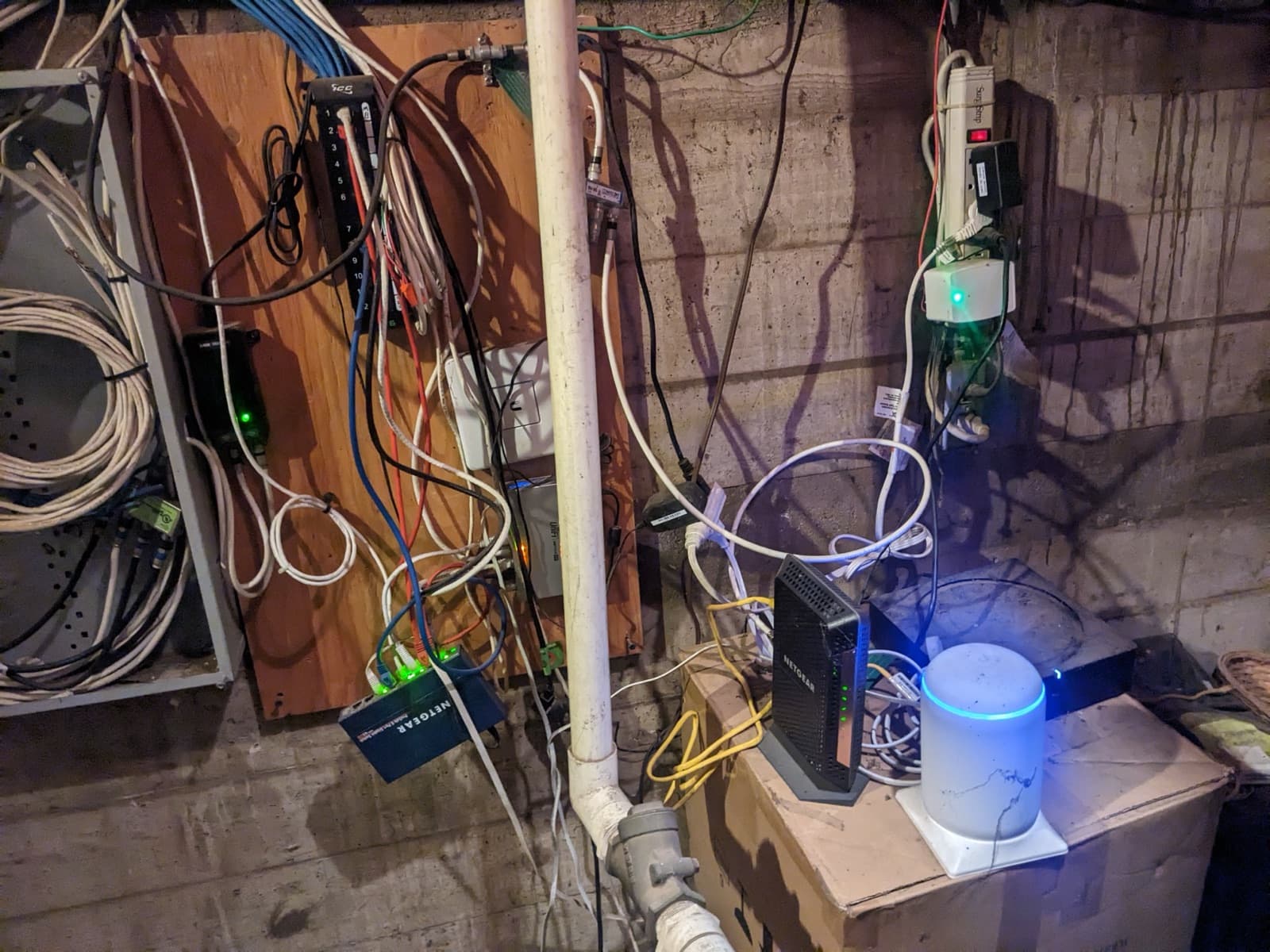
A router here, an old extender there, a switch behind the TV — layers added over the years, each papering over the last one’s gaps.
Why Consumer Gear Falls Short Here
Nothing is wrong with consumer networking in the homes it was designed for. The homes we work in aren’t those homes.
Coverage by hope
One router — or a scatter of mesh pods — placed where the cable happens to enter the house, not where the coverage is needed.
Everything on one network
Cameras, smart devices, guests, and your personal devices all sharing one flat network — one compromised gadget away from all of it.
It fails silently
Consumer gear doesn’t tell anyone when it’s struggling. You find out when the stream stutters or the camera feed is gone.
The weakest link under everything
Lighting control, audio, cameras, and the control system all ride the network. Undersized networking quietly degrades every system attached to it.
Consumer vs. Engineered
Consumer setup
- Router placed where the cable enters the house
- Wireless mesh hops that halve speed each jump
- One flat network for everything
- Nobody watching
- Replaced whole every few years
UniFi, engineered
- Access points positioned by coverage design, wired back to the rack
- A wired backbone — full speed at every access point
- Segmented networks: cameras, smart devices, guests, and your devices kept apart
- Remotely managed and monitored by our team
- Enterprise hardware you own, that grows with the home
The Foundation Everything Shares
One Network, Every System
A network upgrade pays for itself across every other system in the home. Lighting control responds instantly. Cameras record without dropouts and stream cleanly when you check in from anywhere. Whole-home audio stays in sync. And when we install or upgrade any other system later, the foundation is already right. That’s why networking sits at the core of how we build — as our home control page puts it, powerful networking at the core.
An Honest Number, Up Front
What does a network like this budget at?
Slide to your home’s size. The figure is the complete system, installed — enterprise WiFi, structured cabling, and managed switching in one number — not a box of consumer mesh pods.
$17,500
Complete system budget — equipment, cabling, and installation. Sales tax and design fee additional. Every project is confirmed with a written proposal after a walkthrough.
Request an AssessmentHow a Network Upgrade Works
Walkthrough & coverage plan
We survey the home — construction, floor plan, where existing cabling runs, where coverage dies today, and what the network actually has to carry: cameras, streaming, work, control systems.
In your home
Design & proposal
A written design: access point placement, wired backbone, rack location, and network segmentation — with the equipment specified so you know exactly what you own.
Delivered as a written proposal
Installation & commissioning
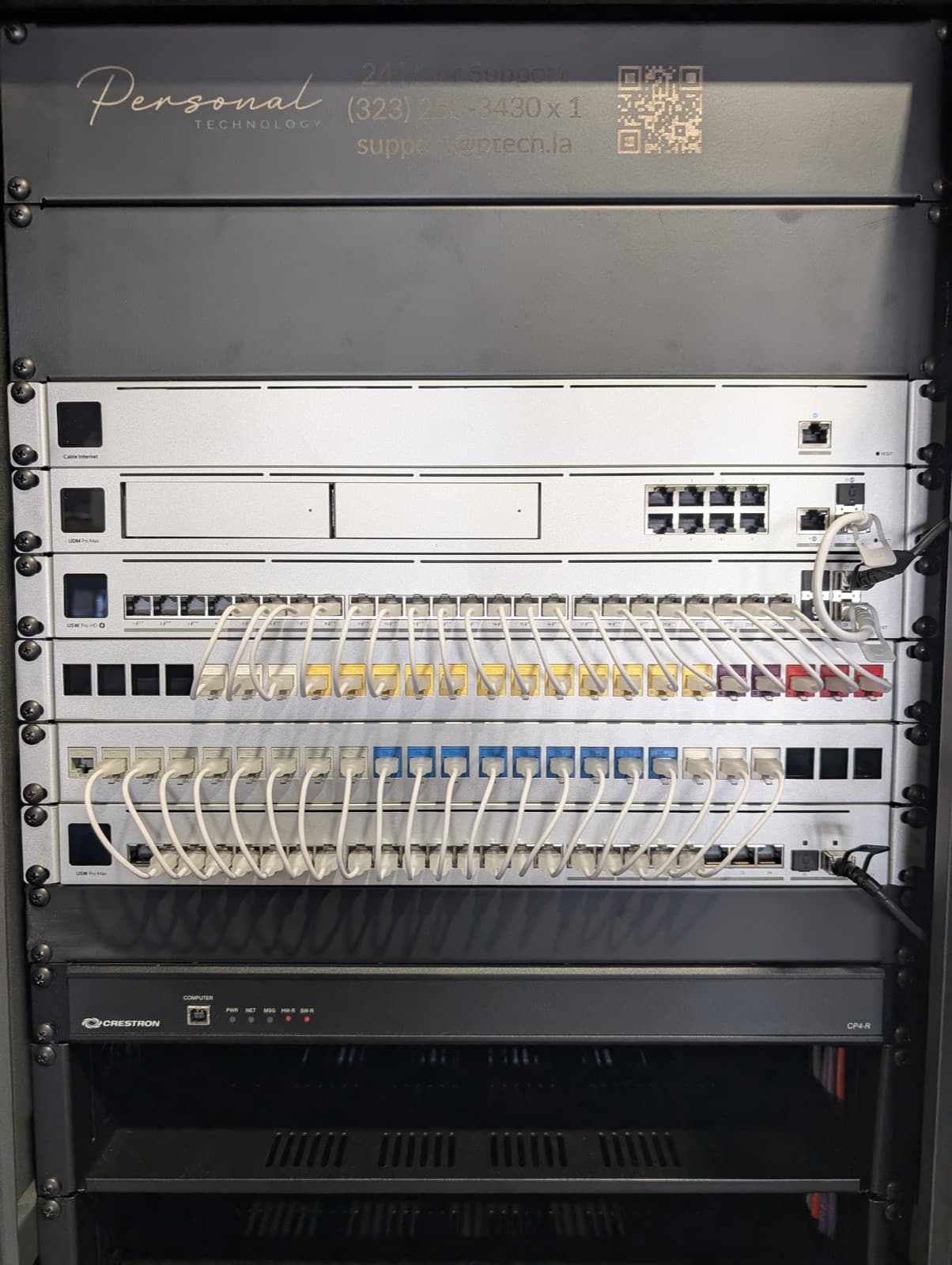
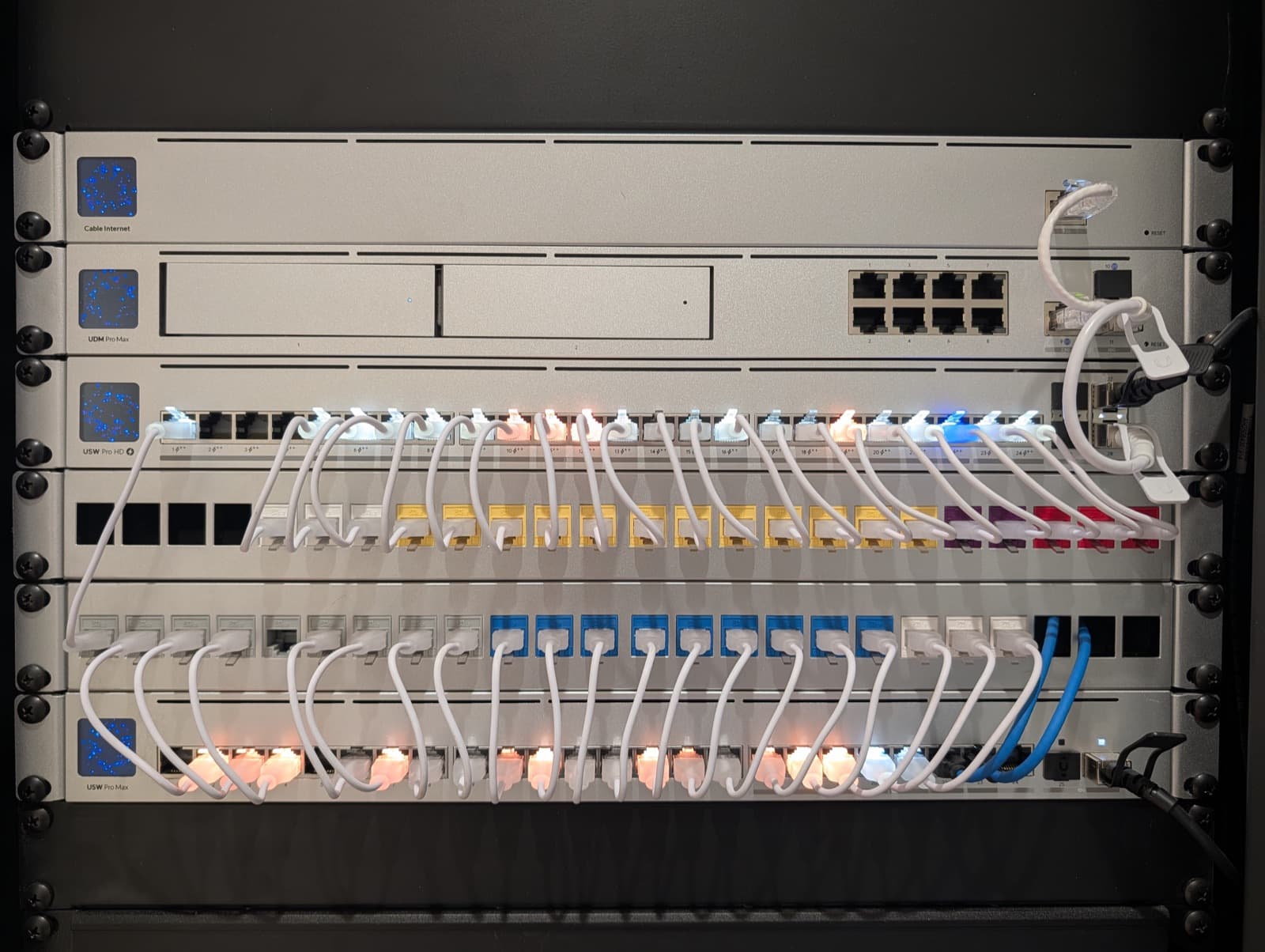
We build the rack, run any new drops the design needs, place the access points, and commission the network — segmented, secured, and tested room by room.
Most homes: days, not weeks
Remote management & support
UniFi lets our team see and manage the network remotely — updates, adjustments, and troubleshooting handled by the same support team that answers around the clock.
Ongoing · Support available 24 hours a day
Why Personal Technology
Ubiquiti UniFi, end to end
UniFi is one of the core platforms we build on — enterprise-grade networking with a single pane of management, and hardware you own outright.
Designed for your house
Access point placement driven by your home’s actual construction and floor plan — plaster, masonry, detached spaces and all — not by where the cable happens to enter.
Segmented by default
Cameras, smart devices, guests, and your personal devices on separate networks, so one weak device never exposes the rest.
Ready for everything else
A right-sized network is the prerequisite for every other system we install — lighting, audio, cameras, and control all ride on it.
Local, and staying that way
Based in Alhambra since 2007, serving only the West San Gabriel Valley, with more than 2,000 installations completed.
Supported after handoff
Remote management plus a support team available around the clock — the network is watched, not abandoned.
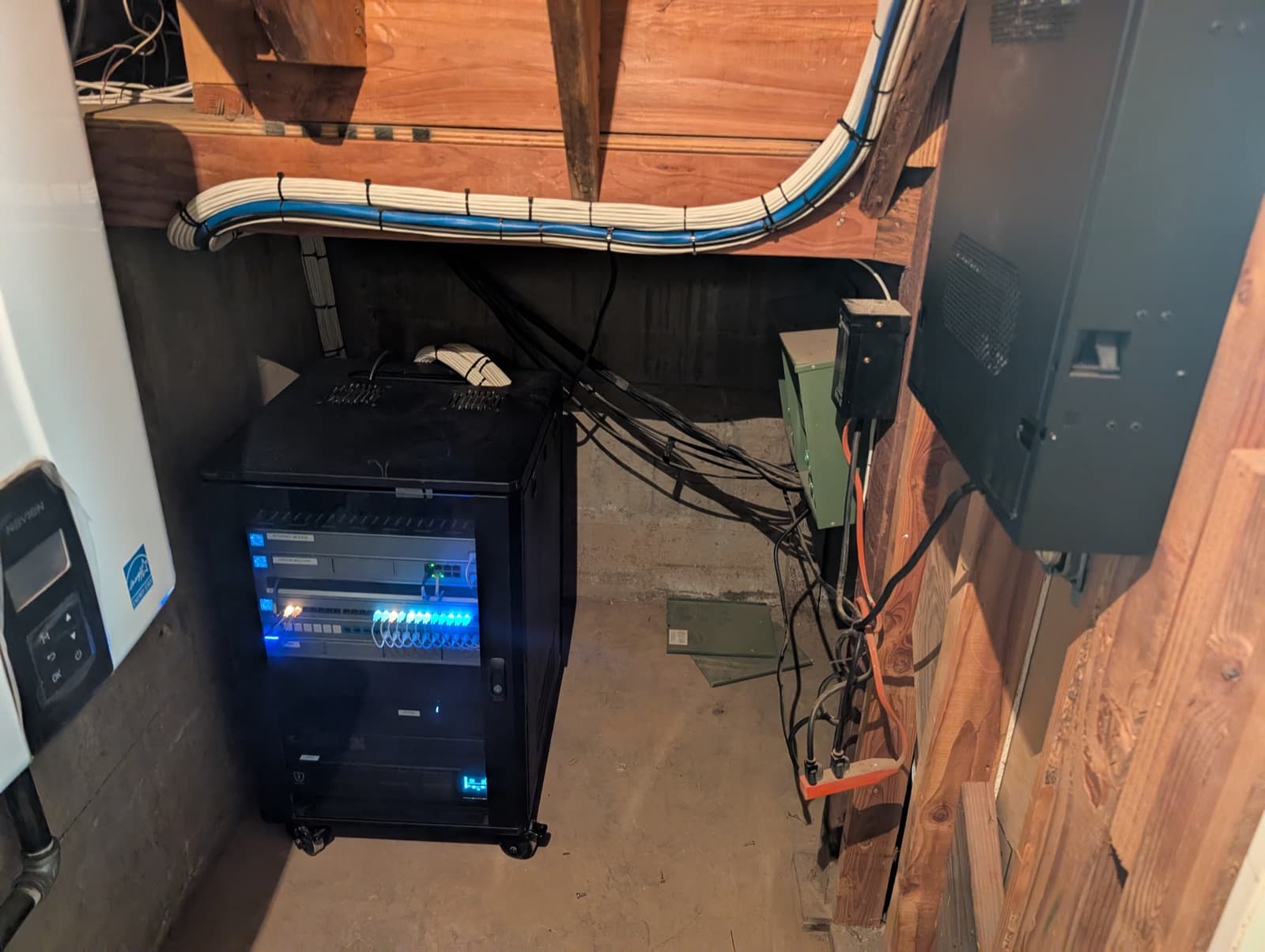
Before and After
Frequently Asked
Do you have to rewire my house?
Usually not the whole house. We reuse sound existing cabling and add the drops the design genuinely needs — the coverage plan tells us exactly which ones those are.
Is mesh Wi-Fi ever acceptable?
Wireless mesh is a compromise we design around, not with. Where an access point can be wired, it should be — full speed, no relay penalty. We reserve wireless links for the rare spot wiring truly can’t reach.
Can you manage it remotely?
Yes — that’s one of the reasons we build on UniFi. Updates, adjustments, and troubleshooting are handled remotely by our team, and support is available around the clock.
Will it work with my existing systems?
That’s the point of it. We design the network around what it has to carry — cameras, streaming, audio, and control systems including Crestron, Control4, Savant, and Josh.
Where do you work?
We serve the San Gabriel Valley and its foothill communities from our home base in Alhambra — Pasadena, South Pasadena, San Marino, La Cañada Flintridge, Glendale, Altadena, Arcadia, Sierra Madre, Bradbury, Glendora, and neighboring cities.
Ready To Talk About
Your Next Project?
Connect with our team of automation professionals using the form below.