
Insights · October 22, 2026
Which Lutron System Do I Have? A Field Guide
By Chris Worthington · Personal Technology, Alhambra
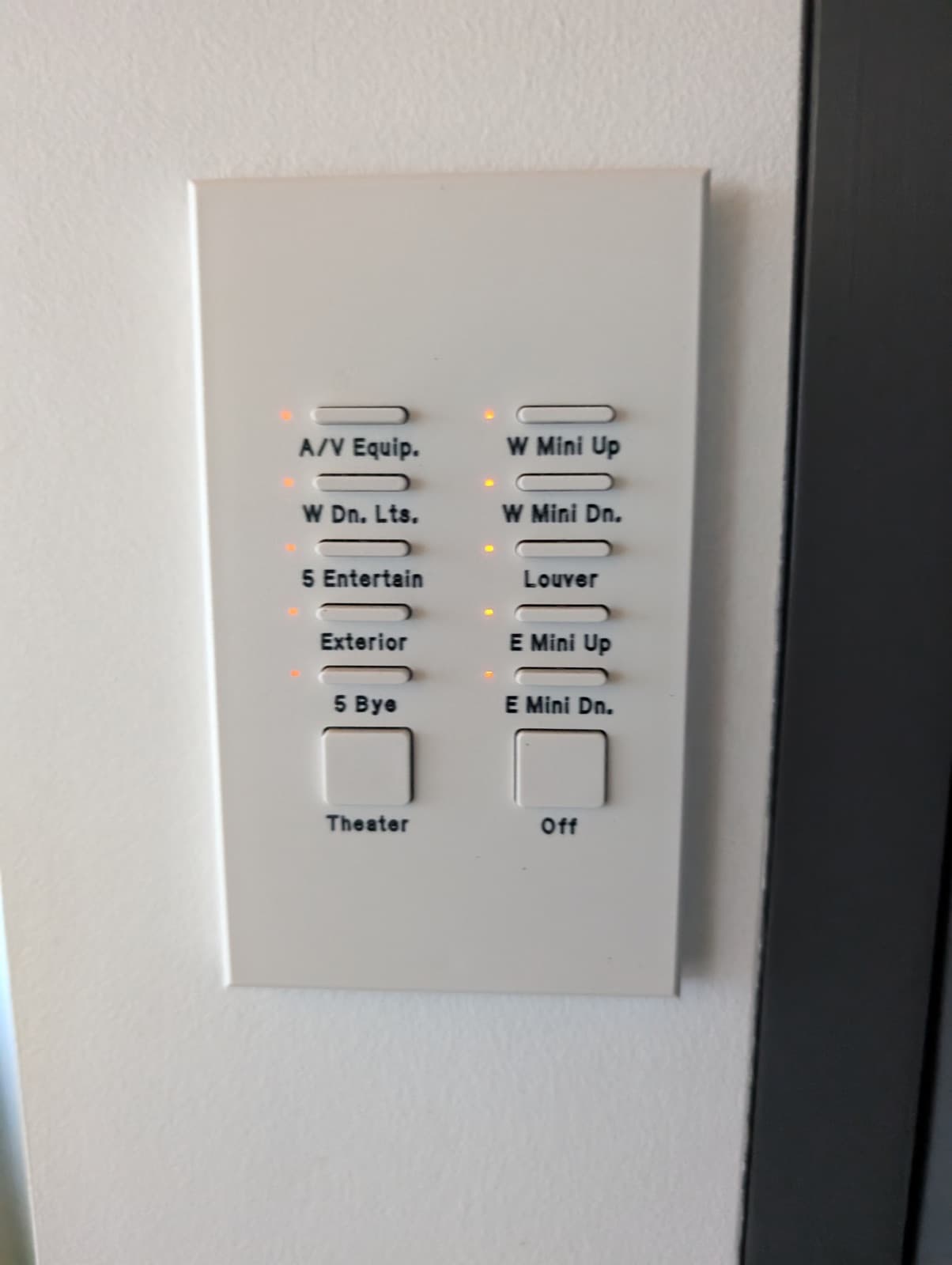
If you own a home in Pasadena, San Marino, or anywhere in the San Gabriel Valley built or renovated in the last thirty years, there's a fair chance a Lutron system is running your lights — and a fair chance nobody ever told you which one. It matters more than it sounds: which generation you own determines whether your system can be serviced, what an upgrade costs, and whether the keypads on your walls can stay.
Here's how to identify what you have in about five minutes, using three clues: the keypads, the app (if any), and the era of the installation.
Clue one: look closely at a keypad
Walk to the most important room in the house and look at the wall control. A column of small rectangular buttons with engraved labels — often cream or white plastic, warm to the touch, decades old — points to the HomeWorks family of the 1990s and 2000s: Illumination or its predecessors. These systems were superb in their day, and many still run whole estates, but the platforms are long discontinued and parts move from scarce toward unobtainable.
Larger, flatter buttons with a more modern typeface suggest the QS generation (roughly 2008 through the late 2010s) — HomeWorks QS in larger homes, RadioRA 2 in others. Flush metal or glass keypads with backlit engraving are newer still: the Palladiom line, which usually means HomeWorks QS or the current QSX.
A wall of ordinary-looking dimmers with small LED bars at the side, and no scene keypads at all, is often RadioRA 2 or Caséta — real Lutron, lighter weight.
Clue two: which app controls it?
Open your phone. If the house responds to the Lutron Connect app, you're on RadioRA 2 or HomeWorks QS. If it's the current Lutron app, you're on the modern generation — RadioRA 3, HomeWorks QSX, or Caséta. If there's no app at all and the system predates smartphones entirely, that's a strong vote for Illumination-era HomeWorks — control was keypads and maybe a wall-mounted touchscreen that stopped being supported years ago.
Clue three: the era of the install
Installed before about 2008? Almost certainly the Illumination family. Between roughly 2008 and 2020, HomeWorks QS or RadioRA 2. After 2020, QSX or RadioRA 3 — the current platforms, fully supported and still being developed.
There's a fourth clue if you're comfortable opening a closet: the processor. A panel with a green-boarded processor and bundles of gray phone-style wiring is classic HomeWorks; a cleaner DIN-rail module points to QS or QSX. Don't touch anything — just photograph it. A picture of the processor and one keypad tells us most of what a site visit would.
What each answer means
Illumination era: your system has outlived its platform. It can often be kept alive for a while, but every failure is a scavenger hunt, and the honest path is a planned migration to HomeWorks QSX — which, importantly, usually reuses the wiring already in your walls. Done right, it's a two-to-three-day installation after parts arrive, not a construction project.
RadioRA 2 and HomeWorks QS: healthy middle age. Fully serviceable today, discontinued for new design — which makes this the planning window. Upgrades from QS to QSX are the gentlest in the Lutron world, and an upgrade is also the natural moment to move the keypads you touch every day to the Palladiom style.
QSX and RadioRA 3: you own the current generation. If something isn't working, the system isn't the problem — the programming or support is, and that's fixable.
If the company that installed it is gone
This is the most common call we get. The installer retired, or stopped answering, and the system has been slowly degrading because nobody holds the passwords or the programming. That's a takeover, and it's routine for us: we assess what's there, recover or reset access, document the system, and stand behind it from then on — whatever generation it is, whether or not we installed it.